
Agent Continuous Loop and Goal-Driven Modes
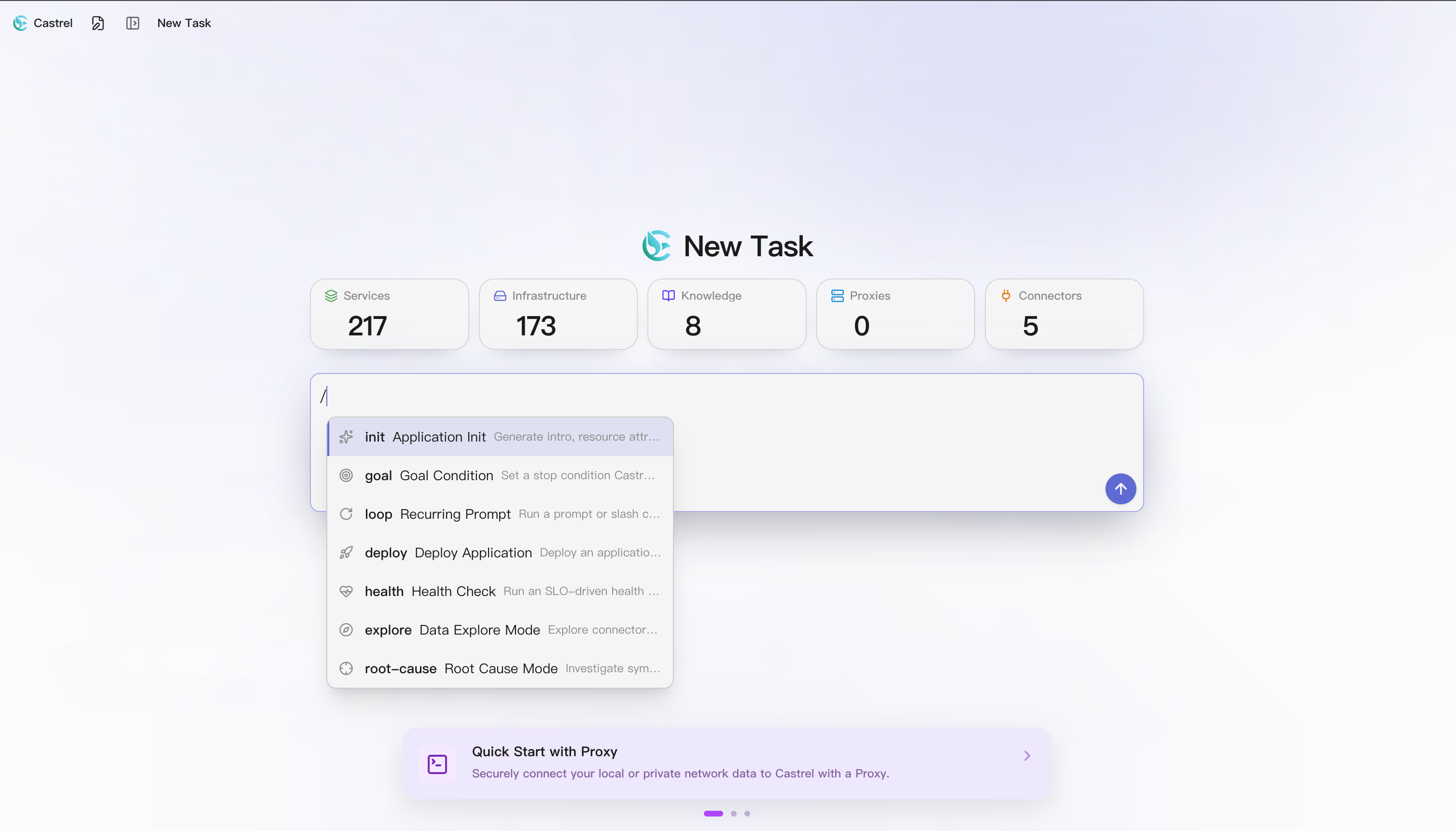
New Feature: Continuous Loop and Goal-Driven Modes
Until now the Agent mostly worked one exchange at a time — you ask, it answers. This release lets it keep watch over the long haul: /loop runs the Agent on a recurring cadence, and /goal drives the Agent toward a target you set, wrapping up only once it's reached. Both start with a slash in the chat input — no switching tools or writing scripts.
/loop turns any command or prompt into a recurring task — for example, /loop 5m /health payment-service checks the payment service every five minutes. It runs once right away, repeats on the interval you set, stops automatically after seven days, and can be cancelled anytime — ideal for watching deploy status, alerts, or anything that needs periodic confirmation, keeping the Agent on duty for you.
/goal sets a completion condition for the conversation, such as "resolve all 503 errors." Once set, the Agent gets to work and re-evaluates progress after every step, ending the conversation automatically when the goal is met — no manual wrap-up needed. Type /goal clear to remove it at any time. Instead of one-off questions, /goal lets the Agent iterate toward an outcome on its own.
This release also adds two ops slash commands, /deploy and /health, which roll out an application from its deployment doc and generate a health report from its SLO doc respectively — see the full release checklist below.
1 Enhanced Plugin
- Enhanced: Zabbix plugin (added host group discovery, host search, and tool-call visualization).
Full Release Checklist
feat
- Added the
/looprecurring command, turning any command into a watch task that loops automatically on an interval. - Added the
/goalgoal-driven command, setting a completion condition for a conversation and driving it until met. - Added the
/deploycommand, which rolls out an application from its deployment doc and reports the deploy link and pipeline info. - Added the
/healthcommand, which generates a structured health report from an application's SLO doc. - Shared conversation links now open without signing in.
- Improved tool-call handling so the execution steps render more accurately and reliably.
- Expanded the Zabbix plugin with host group discovery, host search, and tool-call visualization.
bugfix
- Fixed an error where querying data after answering the Agent's follow-up question reported the connector as unregistered.