
Dashboard Generation and Execution Upgrade
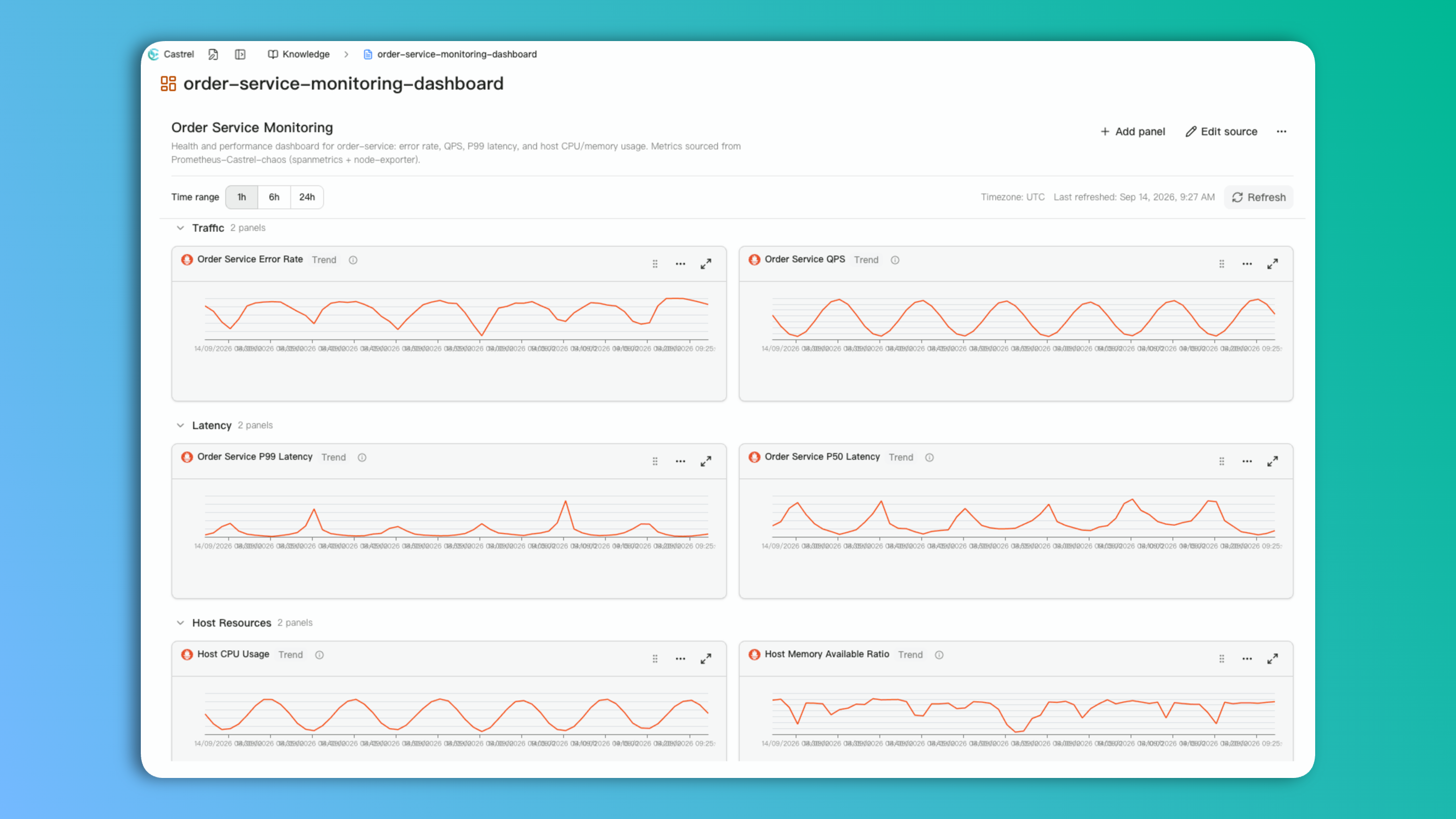
New Feature: Dashboard Generation and Execution Upgrade
You can now describe what you need in plain language and let the model generate dashboard query statements for you, building a monitoring view quickly without writing complex query syntax by hand.
Generated dashboards can be executed directly in later tasks: a single call can run an entire dashboard or one of its groups, pulling data from multiple charts at once instead of calling a tool for each chart separately. This cuts down repeated tool calls and helps analysis reach a conclusion faster.
Dashboards often need further refinement after they're generated. Grouping, chart variables, and panel layout can be edited directly in the UI — grouping dashboards by business line, environment, or team, reusing the same template across different services or instances, and resizing or repositioning panels as needed.
1 Enhanced Integration
- Enhanced: JumpServer (separates admin and user tokens, and lets regular users create jobs and correctly retrieve execution results)
Full Release Checklist
feat
- Added LLM-assisted dashboard query generation, with the ability to execute an entire dashboard or one of its groups in a task to reduce tool calls.
- Added dashboard grouping, chart variable substitution, and drag-to-resize layouts as ways to refine and maintain dashboards.
- Improved JumpServer integration by separating admin and user tokens, and enabling regular users to create jobs and correctly retrieve execution results.
bugfix
- Fixed a 422 authorization error that blocked Feishu Docs installation due to a missing configuration.
- Fixed an issue where marking an artifact as knowledge skipped name validation, causing existing knowledge with the same name to be overwritten.
- Fixed an issue where custom MCP calls incorrectly passed through the connection ID, causing tool calls to fail.