
Slack
Overview
Integrate Castrel with Slack to enable intelligent alert triage and incident investigation directly from your team's communication channels.
Setup Steps
1. Install from the Castrel Platform
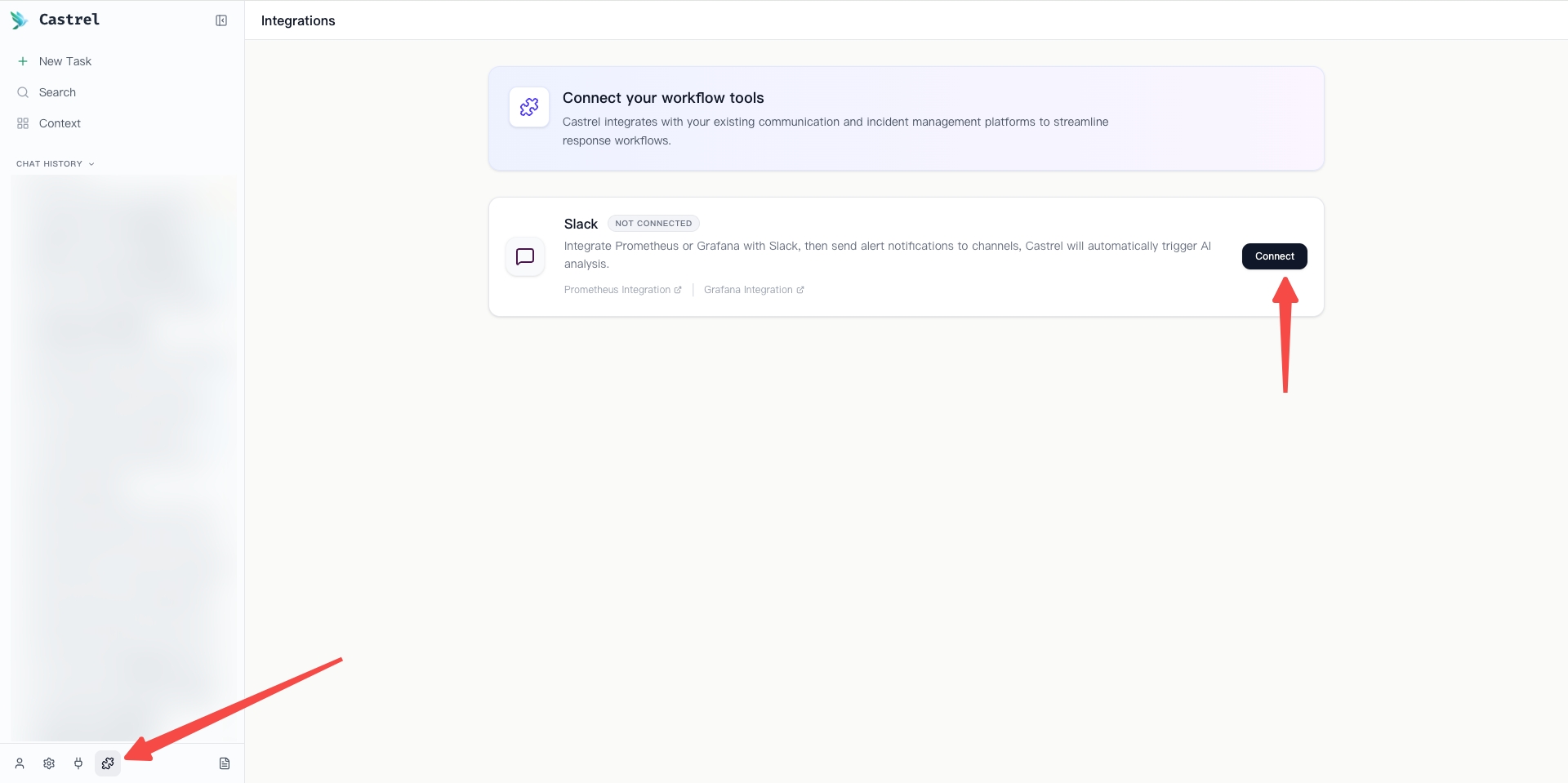
Navigate to the Integrations page in the Castrel platform and click the Connect button for Slack.
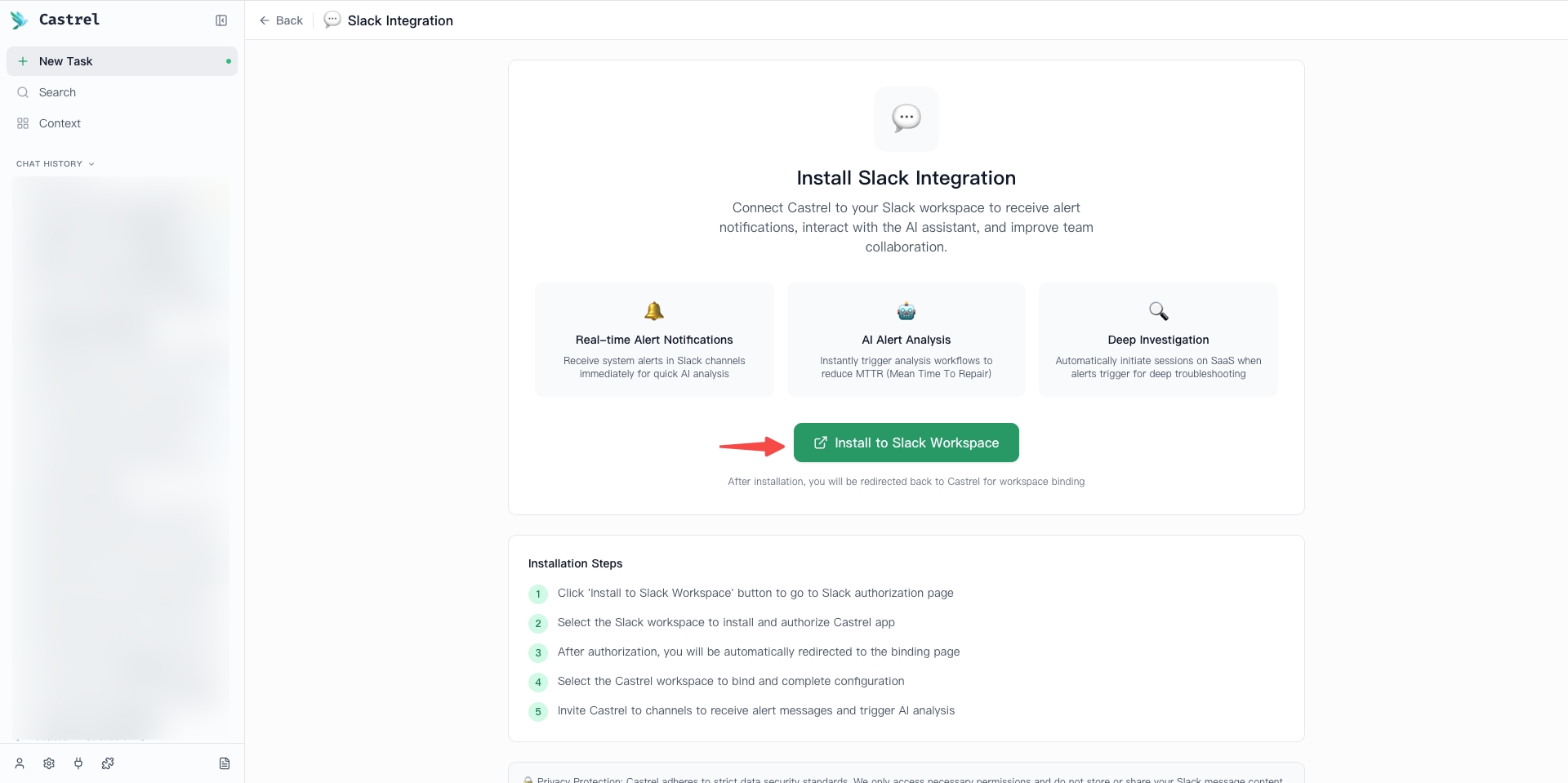
On the Slack Integration page, click the Install to Slack Workspace button to start the installation process.
2. Authorize Castrel in Slack
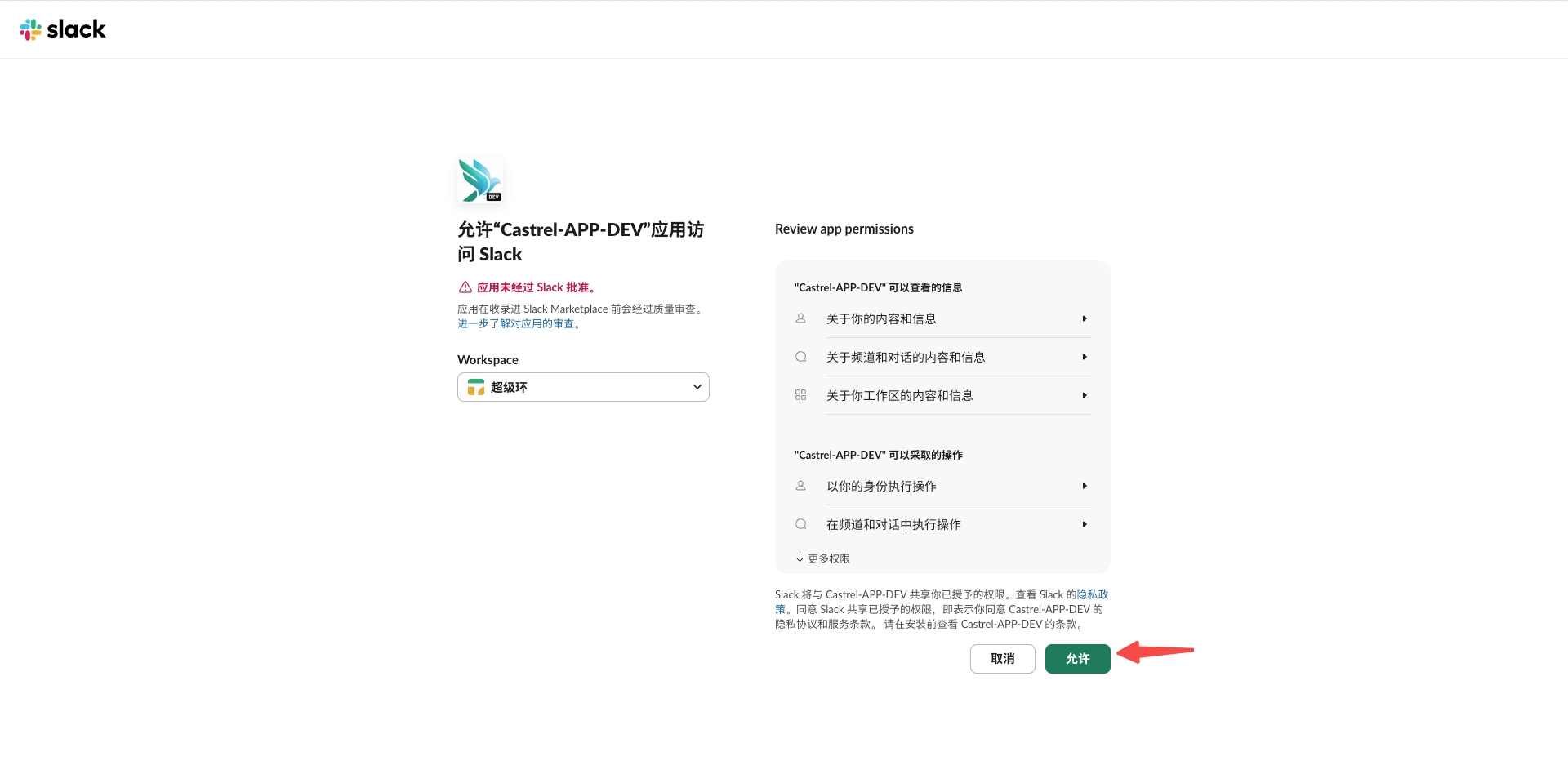
You will be redirected to Slack's authorization page. Select your Slack workspace and click Allow to grant Castrel the necessary permissions.
3. Configure Channels
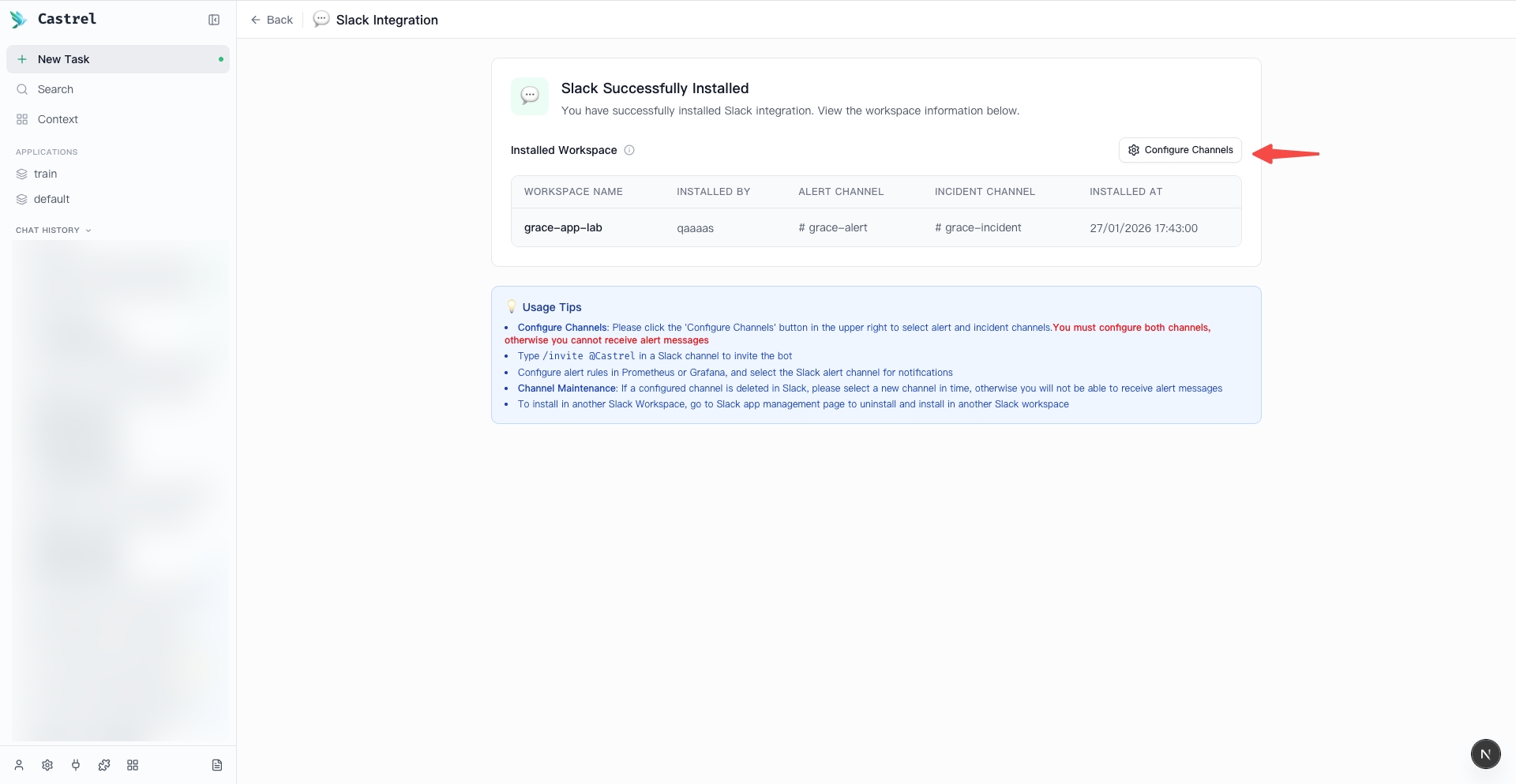
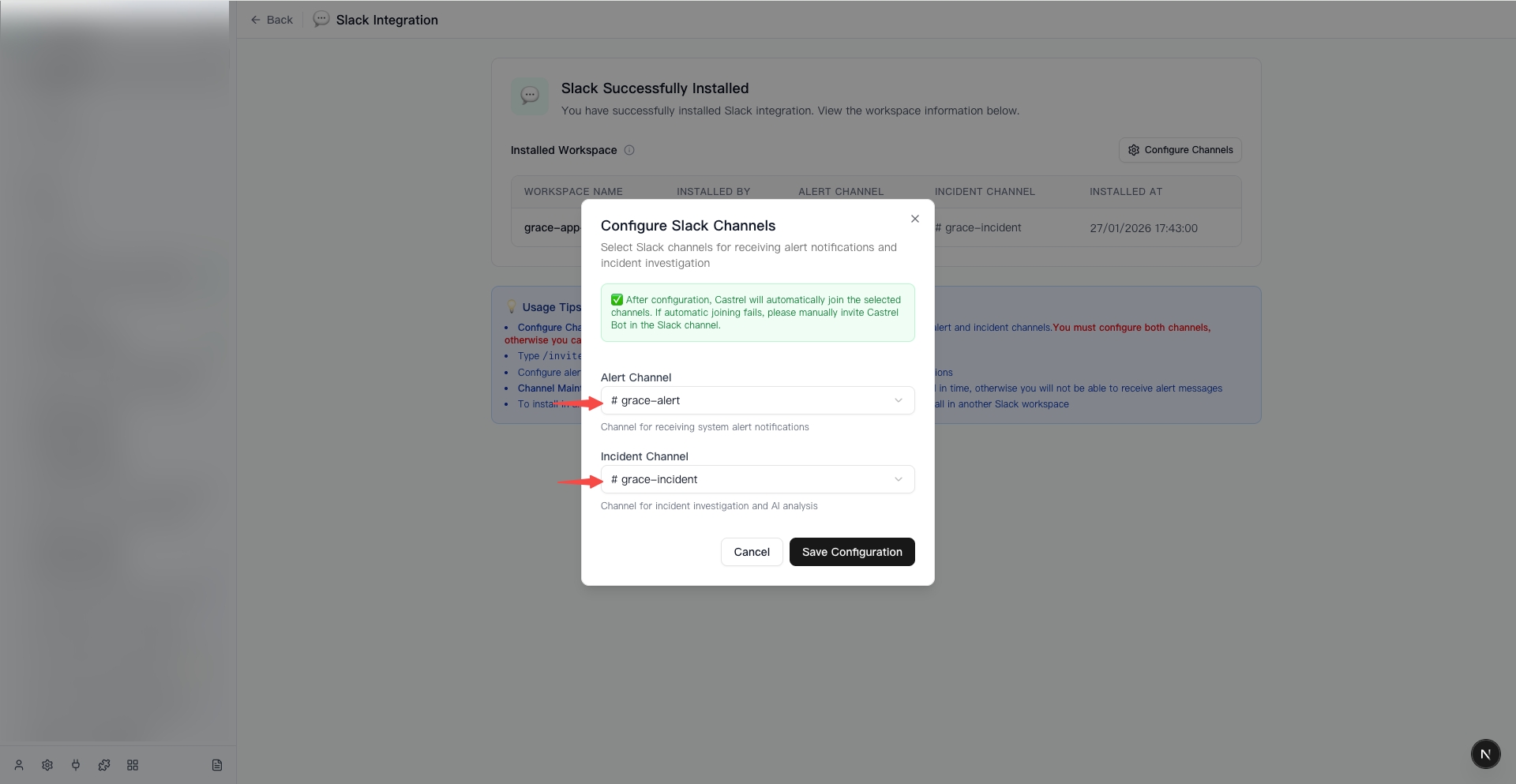
After authorization, you will be redirected to the Slack Successfully Installed page. Click the Configure Channels button in the upper right corner.
In the configuration dialog, select the Slack channels for receiving alert notifications and incident investigation:
- Alert Channel - Channel for receiving system alert notifications.
- Incident Channel - Channel for incident investigation and AI analysis.
Click Save Configuration to complete the setup. Castrel will automatically join the selected channels. If automatic joining fails, please manually invite Castrel Bot in the Slack channel by typing /invite @Castrel.
Features
Once integrated, Castrel provides the following capabilities:
Alert Triage
Castrel monitors the configured Alert Channel for incoming messages. When an alert message is detected, Castrel automatically classifies the alert by severity, type, and affected components.
@Castrel analyze in the message thread.Incident Investigation
In the configured Incident Channel, you can manually trigger incident investigation by mentioning Castrel Bot and describing the issue. Castrel will analyze the problem and investigate the underlying cause using connected observability data sources.